
Bakery App Ordering Case study
PROJECT OVERVIEW
Prompt: Create website for a local bakery
The problem:
Bri’s Bakery is in need of an online presence, to display menu options, order online, and purchase merchandise. The website needs to provide an easy and efficient way individuals to explore and order goods from Bri’s Bakery.
The goal:
Design a Website for Bri’s Bakery that will let users explore the menu and order bakery and merchandise items efficiently.
In this case study, I was able to :
- Identify a problem
- Identify pain points
- Design paper and Digital wireframes
- Create a Low-fidelity prototype
- Perform a usability study
- Create a High-Fidelity prototype
- Consider Accessibility within UX design
- Evaluate takeaways and next steps
UNDERSTANDING THE USER
User Research:
The primary user group identified through research was young to mid-aged adults. Most people go online to search for more information about places to eat like bakeries. These individuals go to bakeries or out to eat 1-2 times a week and are likely to search for information about the food/places online and might want to order online ahead of time.
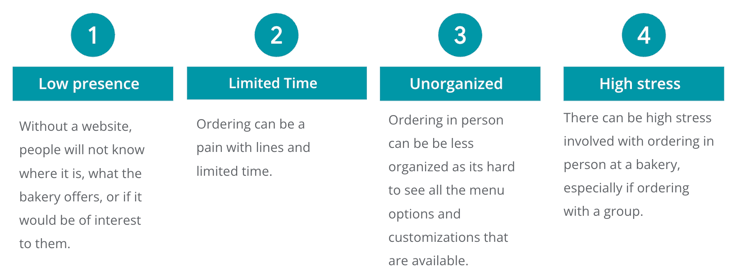
User Pain Points:
STARTING THE DESIGN
Paper Wireframes:
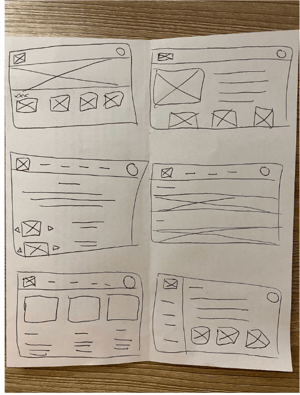
First paper wireframe draft for the bakery website. I tested with 6 wireframe sketches to get ideas of different screen iterations. This process ensures that the digital wireframes will be well-suited to address user pain points.
Digital Wireframes:
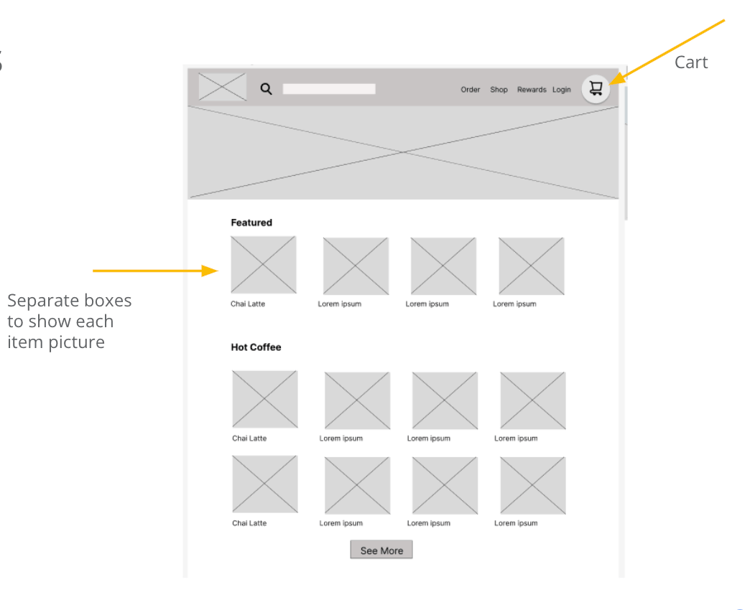
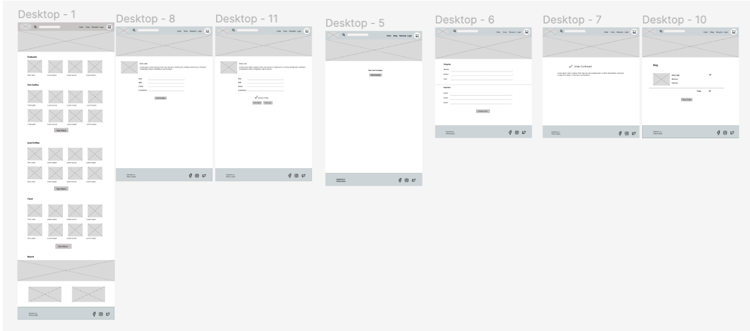
Next, I created the best design from the paper wireframes in Figma.
Low-fidelity Prototype:
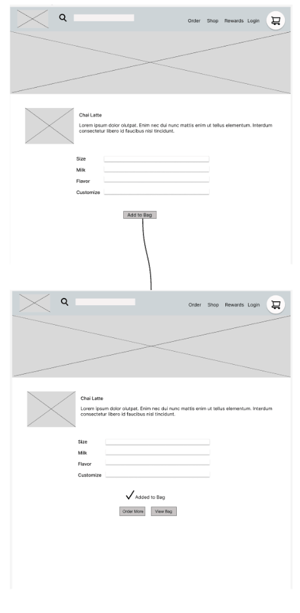
I created a low-fidelity prototype in Figma to tie together the screens and create a user flow. Figma link here.
Usability Study:
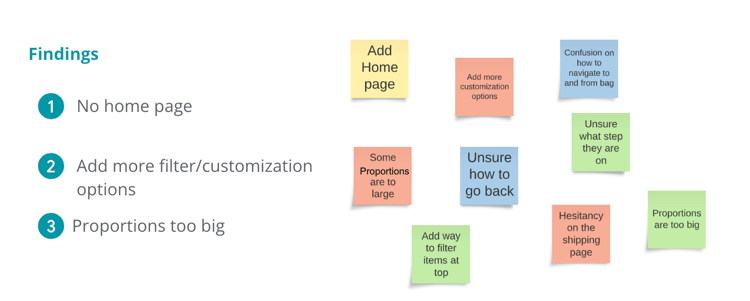
I had five users test the low fidelity prototype and they gave the following suggestions:
REFININGTHE DESIGN
I implemented design and prototype updates after user testing.
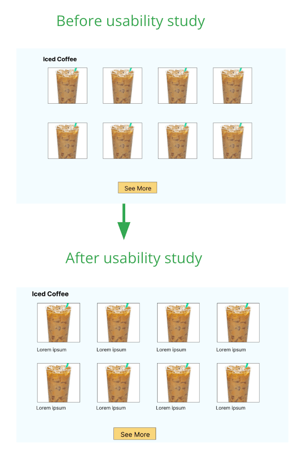
Theme: Confusion on the actual product name
Goal: Update each item to list the name before the item is clicked into
High-fidelity prototype:
I took suggestions from the user testing and edited the mockups and prototype to create a high-fidelity prototype. Figma link here.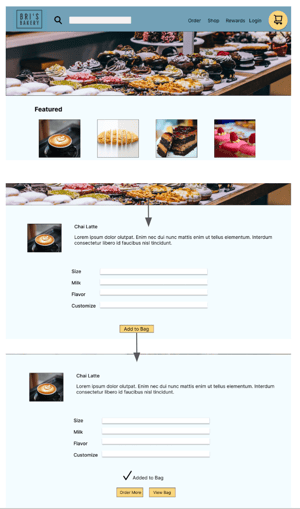
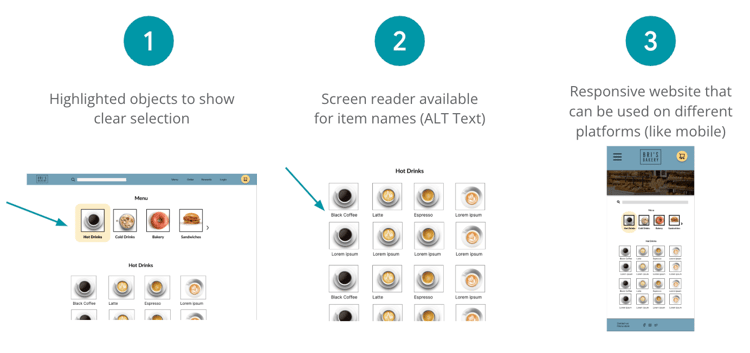
Accessibility Considerations:
Next Steps:
TAKEAWAYS
Impact:
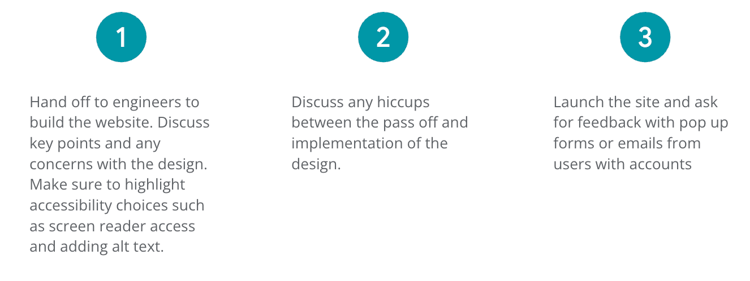
These designs will help users easily be able to locate and order bakery items via desktop fast and efficiently. We will track number of site visits and orders and follow up with user feedback surveys.
What I learned:
I learned the importance of balancing user needs with business goals. The Bakery needed an online presence and an easy way for users to place orders. I was able to test out Desktop mockups after designing for mobile. I learned what it is like to get feedback and use that to implement product improvements. Overall, this whole process really revolved around user empathy and collaboration.